If you are required to complete South Carolina alcohol server training for employment, this guide will walk you through each step of the certification process from enrollment through printing your official certificate.
The first step is to enroll in a South Carolina approved alcohol server training course from an approved provider.
The training is completed entirely online, allowing students to train from home or work using a computer, tablet, or smartphone. There is no classroom attendance requirement.
The course covers topics such as:
Enroll in South Carolina Approved Training Here
After completing the training lessons, students must complete a required online proctored final exam.
The proctored exam is typically completed directly through the training provider’s online platform and usually does not require additional software downloads or separate applications.
Most systems simply use your device’s browser along with temporary access to:
The online proctoring system is designed to verify the identity of the student completing the training and help ensure compliance with South Carolina training requirements.
Once you successfully complete the course and pass the final exam, your training completion information is automatically reported to the South Carolina Department of Revenue (SCDOR).
Most approved training providers use an automated API connection that securely transmits training completion records directly to the SCDOR system.
The SCDOR system typically retrieves updated training records daily around 7:00 PM Eastern Time.
After the SCDOR retrieves the training information from the provider system, the state generally updates and processes the certification records within approximately 24 hours.
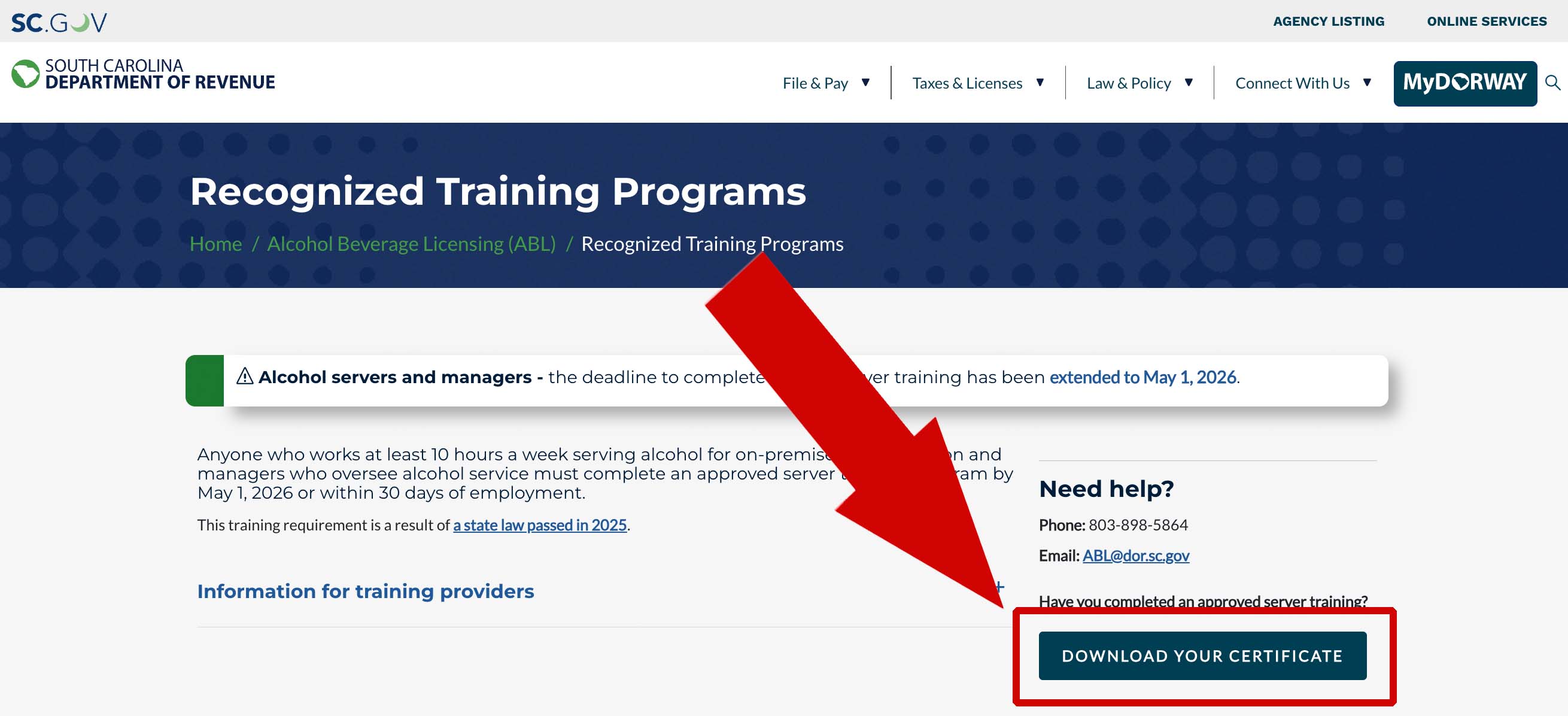
After the South Carolina Department of Revenue processes your training completion, you can access your official certification through the SCDOR website.
On the SCDOR page, click the “Download Your Certificate” button:
You will then be taken to the South Carolina certificate lookup screen:
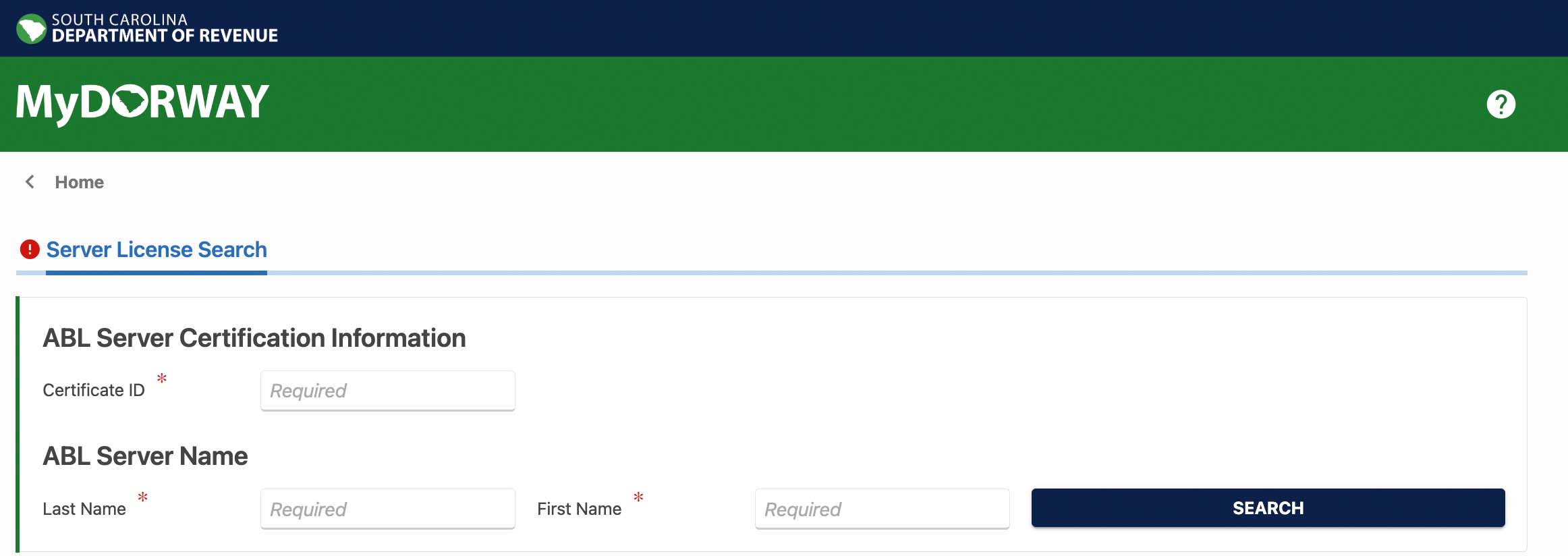
You will typically need:
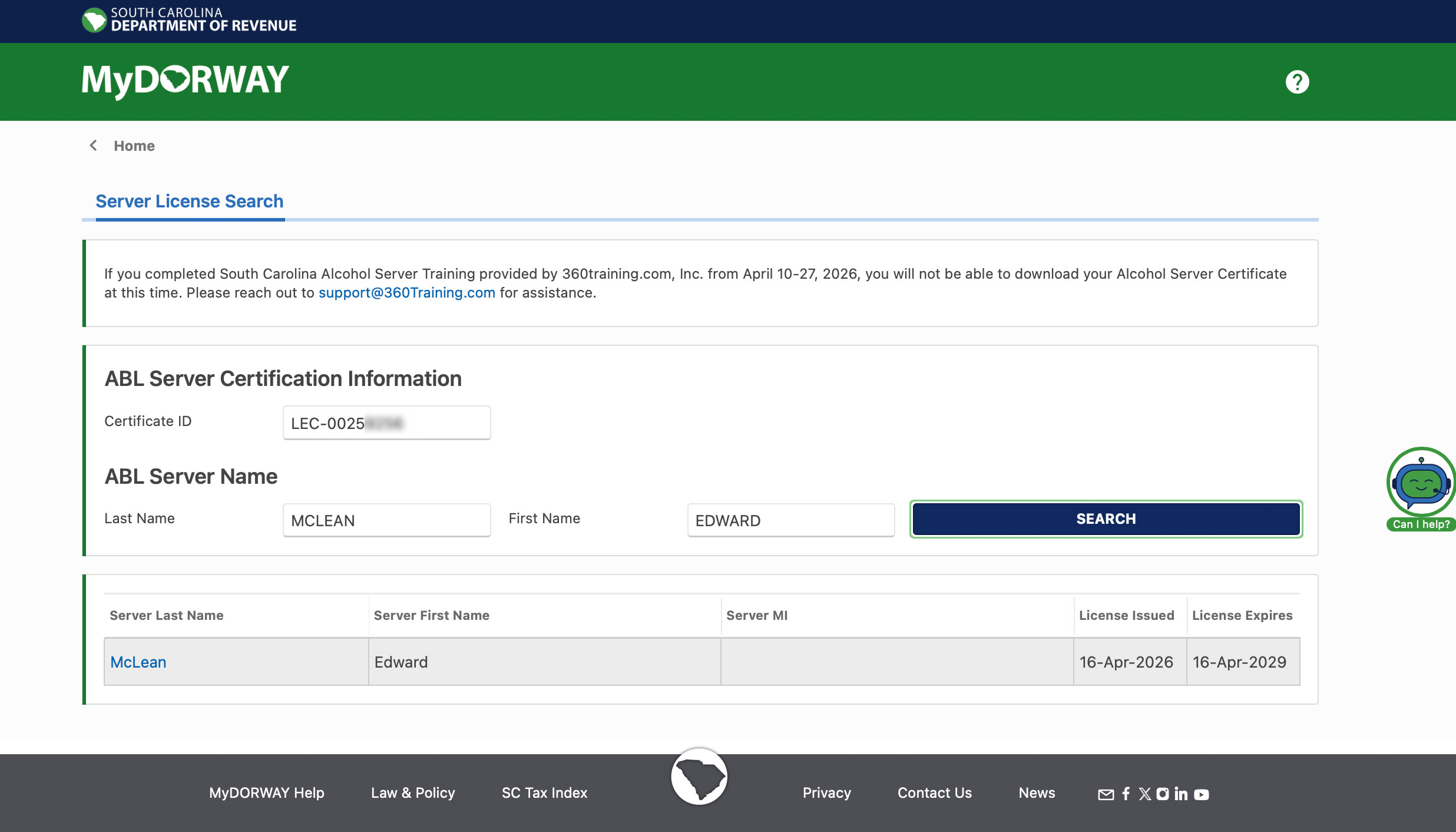
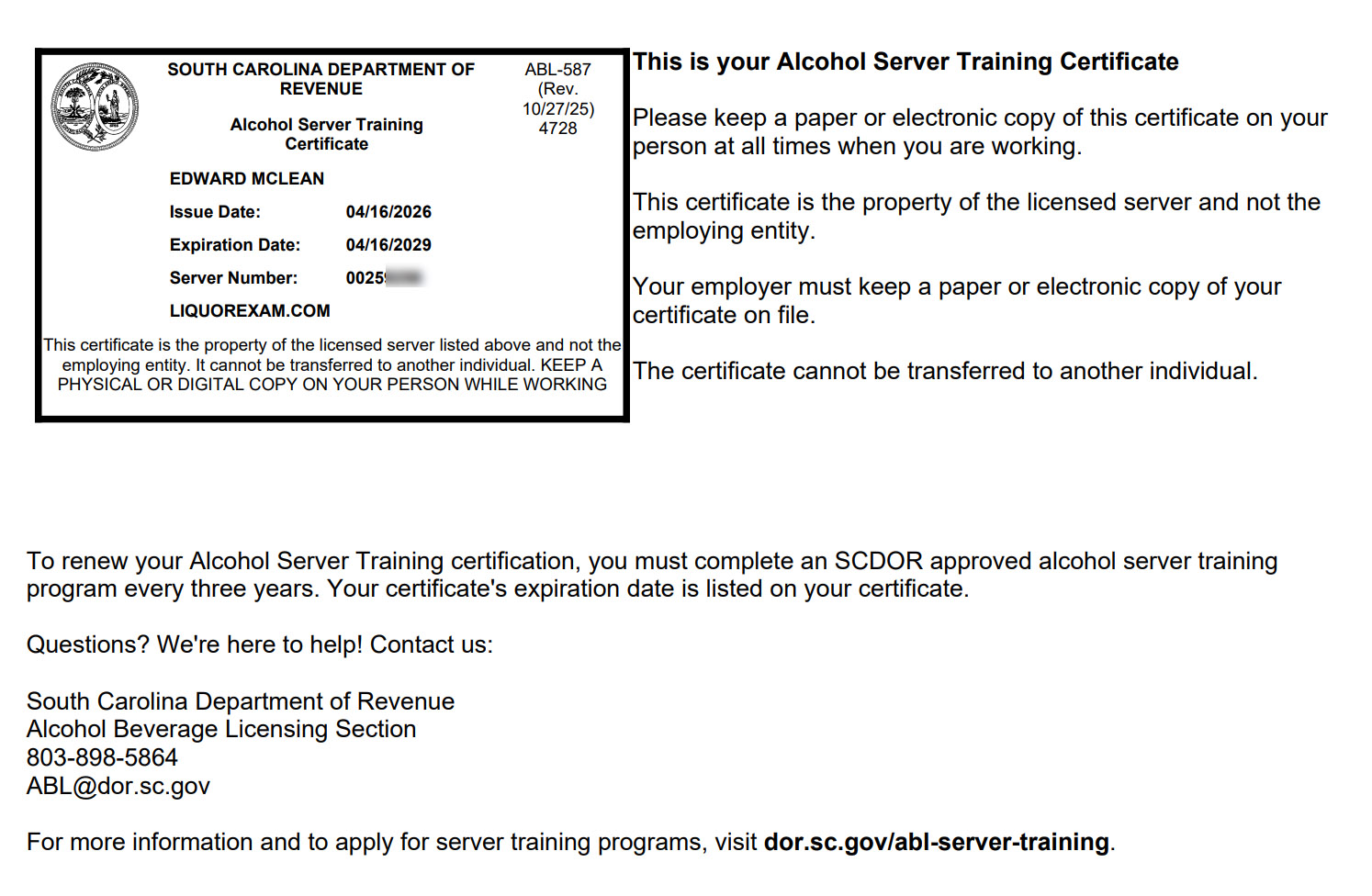
Your official South Carolina alcohol server certification is issued and maintained through the South Carolina Department of Revenue system — not directly by the training provider.
Because the certification is maintained through the state system, students should always use the official SCDOR certificate lookup page when printing or downloading their official certificate.
How long does it take for my certification to appear?
Most records are retrieved by the SCDOR around 7:00 PM daily, and the state system is typically updated within approximately 20 hours afterward.
Do I need to install special software for the exam?
Typically no. Most providers use browser-based proctoring systems that work directly within the training platform.
Can I complete the training on my phone?
Yes. Most modern smartphones, tablets, laptops, and desktop computers are supported.
Do I receive my certificate immediately after finishing?
No. The provider must first report your completion to the SCDOR system, and the state must process the record before the official certificate becomes available.